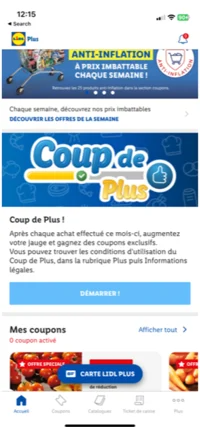
Step 1: Open the Lidl App
Launch the Lidl app on your mobile device.
Navigate to the Plus section.
Step 2: Access Digital Receipts
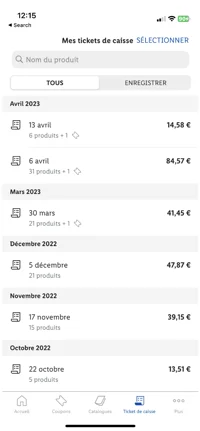
In the Plus section, find and tap on Digital Receipts.
Browse through your available receipts and select the one you wish to upload.
Step 3: Save or Share Your Receipt
Once you have selected your receipt, you have two options:
Option 1: Save & Upload Manually
Tap on the three dots (menu icon) in the top corner of the receipt page.
Select Download Image to save the receipt as an image file on your device.
Open the Storewards app and upload the saved receipt from your gallery.
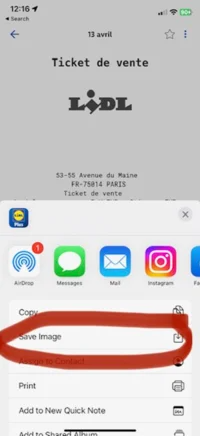
Option 2: Share Directly to Storewards
Tap on the three dots (menu icon).
Select Share and choose the Storewards app from the list of available sharing options.
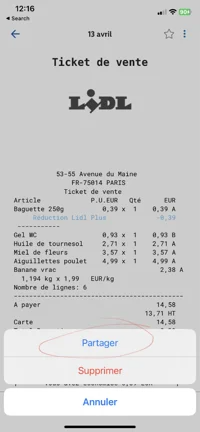
Step 4: Confirm Upload
Ensure the receipt image is clear and fully visible.
Submit the receipt within the Storewards app to complete the process.
Note: Make sure the receipt meets Storewards' upload requirements to be accepted.
If you encounter any issues or need further assistance, feel free to reach out to our support team at support@storewards.co.
Was this article helpful?
That’s Great!
Thank you for your feedback
Sorry! We couldn't be helpful
Thank you for your feedback
Feedback sent
We appreciate your effort and will try to fix the article